 ZephyrQL
ClickHouse deserves a better SQL client.
Query and edit ClickHouse, MySQL/MariaDB, PostgreSQL and SQLite in one app. Copy tables between engines in one dialog. Give your AI agent read-only access.
Free for 7 days. Then €49 per user per year, excl. VAT.
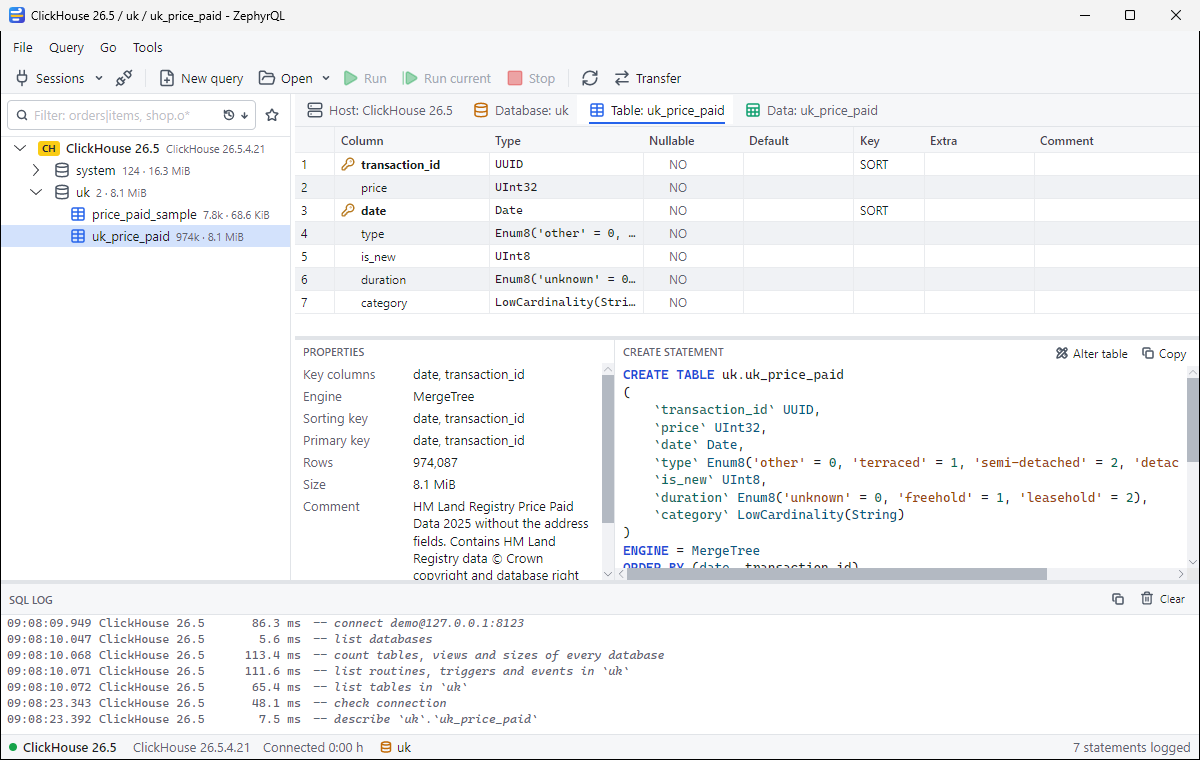
Copy a table to another engine. Read the SQL first.
Pick the tables, the target session and a mode: Create, Append, Truncate or Recreate. Before anything runs, the preview shows the type of every column on both sides and the CREATE TABLE statement. Copy whole tables, filtered tables or a query result.
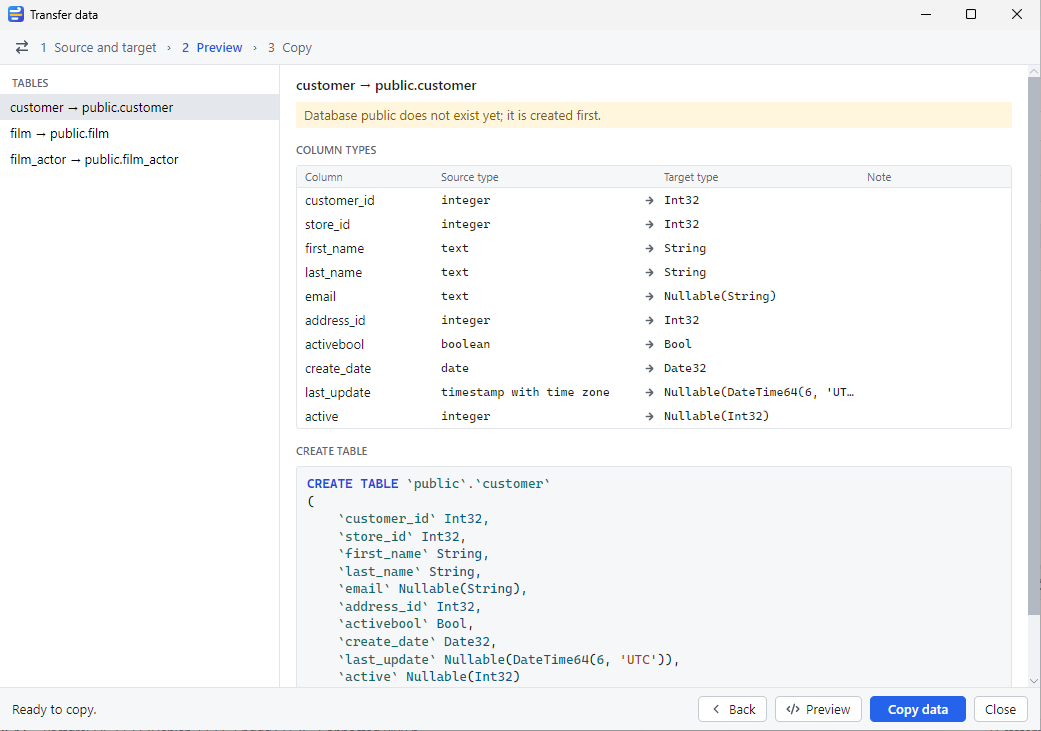
Give your AI agent read-only access to a database.
ZephyrQL runs an MCP server, so Claude Code, Cursor and other MCP clients can list your connections, read schemas and run queries. Access is off until you turn it on for a connection. Read only is enforced by the server: readonly=1 on ClickHouse, a read-only transaction on PostgreSQL and MySQL, a read-only file on SQLite. The agent never gets your password.
| Level | The agent can |
|---|---|
| Off (default) | Nothing. The connection is not listed. |
| Read only | SELECT, SHOW, DESCRIBE, EXPLAIN and other reads |
| Read & write data | Also INSERT, UPDATE and DELETE. No DDL. ClickHouse allows INSERT only. |
| Full | Any single statement your database user may run |
Read only limits what the agent can change. The rows it reads still go to your AI provider.
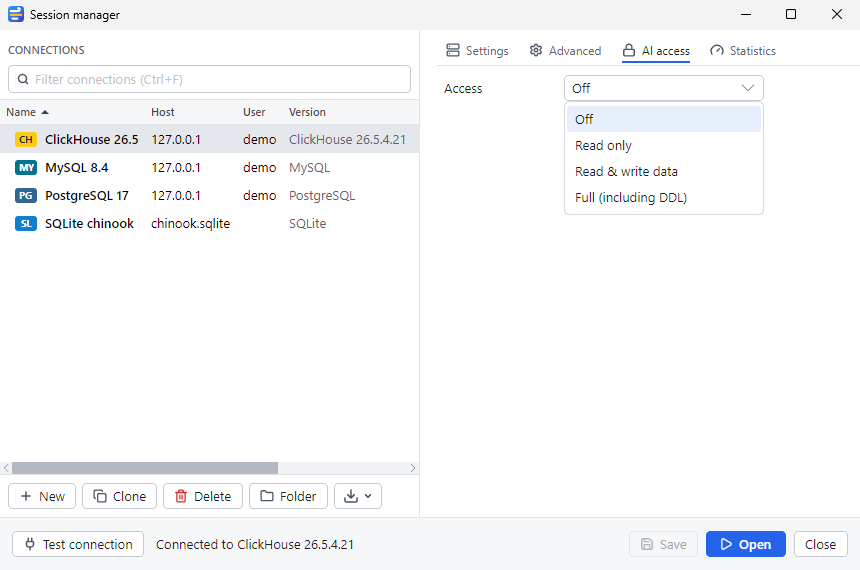
Edit rows in the grid, also without a primary key.
A paged grid with a WHERE filter and server-side sort. Edit cells, insert and delete rows, set NULL or DEFAULT, then post. If a key would match more than one row, ZephyrQL stops and tells you. Values go to the server as parameters, and the SQL log shows every statement with its duration.
Also in the box
- Query editor
- Highlighting per engine, completion of tables and alias-aware columns, run all or the current statement, one result tab per result set, history. Tabs come back after a restart.
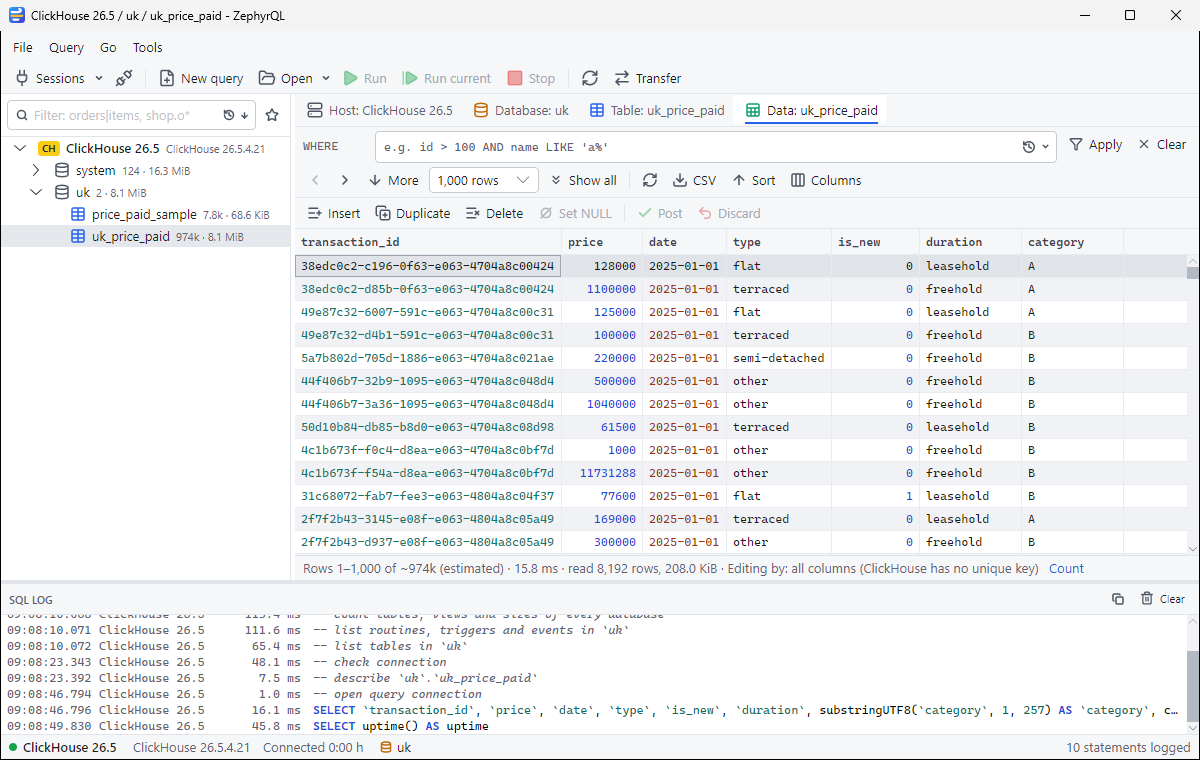
- ClickHouse table view
- Engine, sorting key, partition key, sizes and the CREATE statement. Lightweight UPDATE and DELETE on MergeTree tables.
- Sessions
- Folders, colors and notes per connection. TLS with a CA file and a client certificate.
- Passwords
- Kept in memory. On Windows you can save one per profile, encrypted for your Windows account.
- Import and export
- SQL dumps, CSV import, grid export.
- Keyboard
- F9 runs your SQL, F5 refreshes, Ctrl+T opens a query tab. All shortcuts
One license. Every engine and every feature.
One license per user per year covers all of it. Try every feature free for 7 days; after that, ZephyrQL needs a license. Prices exclude VAT; VAT is added at checkout where it applies.
Not supported yet: SSH tunnels, SQL Server and Firebird. Check that your setup works during the trial.
€49 per user per year, excl. VAT ($59 in US dollars)
Consumers in the EU: €59.29 including 21% Dutch VAT. No automatic renewal.
- ClickHouse, MySQL, MariaDB, PostgreSQL and SQLite
- Table copy between engines
- MCP server for AI agents
- All updates during the license year
Try it first: download and use it free for 7 days.
Questions before you buy
- What can an AI agent do with my data?
- Nothing until you turn on AI access for a connection. Then it can read, unless you allow more for that connection. What it reads goes to the AI provider you use.
- Which operating systems does it run on?
- Windows. Linux and macOS builds are a preview and are untested.
- What is missing?
- SSH tunnels, SQL Server and Firebird.
- Who makes ZephyrQL?
- UptimeVanguard. Questions: support@zephyrql.com.
Try ZephyrQL on your own database.
Free for 7 days. Then €49 per user per year, excl. VAT.
Download ZephyrQL